Time blocking app for iPhone
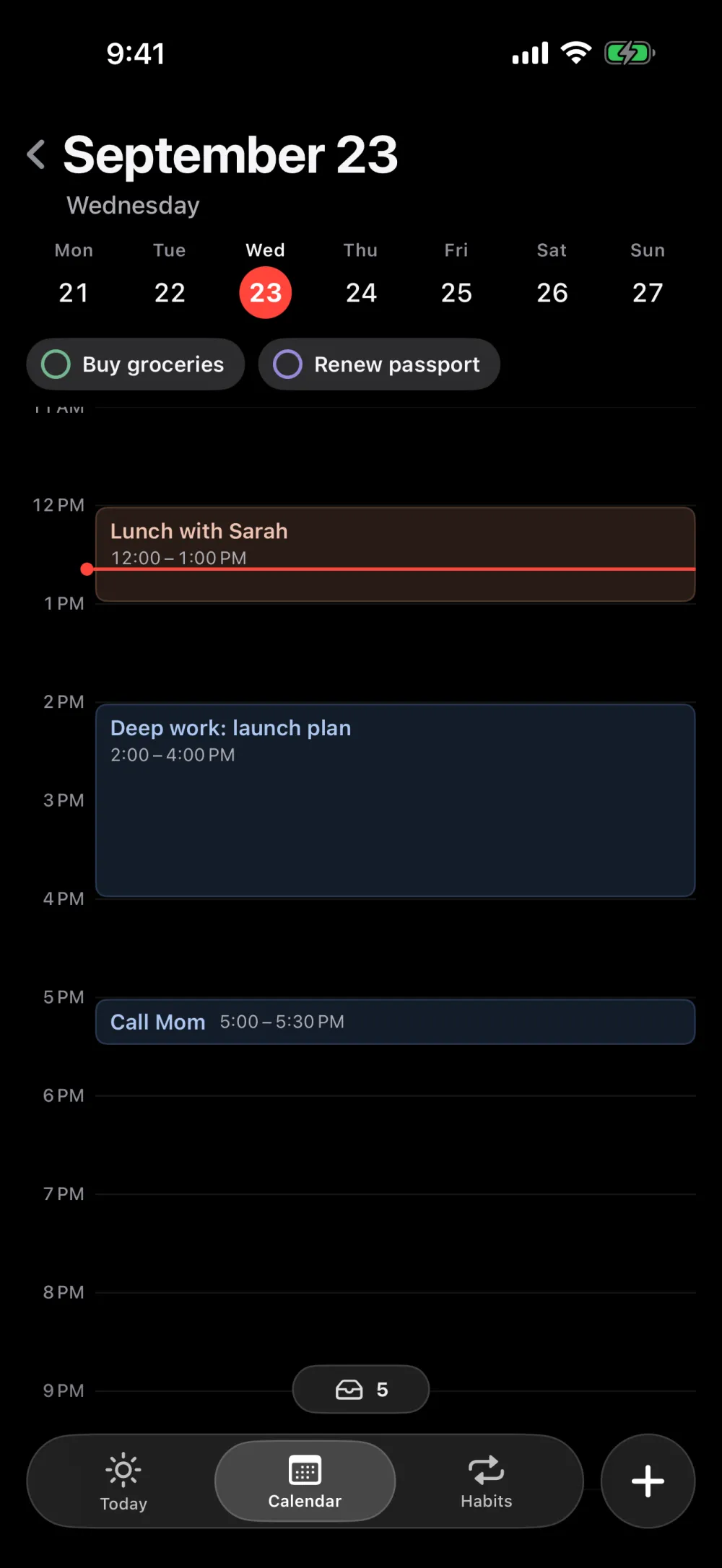
TMRW puts your to-dos, events and habits on one calendar. Drag a task into the hour grid and it has a time.

For iPhone · $49.99 a year after a 7-day free trial, or $9.99 a month
What is time blocking?
Time blocking means giving each task its own slot on your calendar instead of leaving it on a list. You decide when you'll do something, not only that you'll do it.
A to-do list tells you what's left. A time-blocked day tells you what to do now, and shows when the day is already full.
How do you time block on iPhone?
In TMRW, tasks without a time wait in a drawer under your calendar. Drag one into the hour grid to give it a time block.
- Add the task. Type a title, then set the date, time, length, repeat or place with a few chips.
- Leave the time empty and it waits in the drawer: Overdue, Any time today, No date, and Upcoming.
- Drag it onto the hour you'll do it.
- Follow the day. Today shows what's on now or next, with a countdown.
- Plans changed? Drag the block to a new time.
Time blocking app, calendar or to-do list?
A calendar holds things that have a time. A to-do list holds things that don't. A time blocking app holds both, so moving a task from "some day" to "3 PM" is one drag.
TMRW keeps tasks, events and habits in one place, so nothing sits in a separate list you forget to check.
Should a time blocking app track habits too?
It helps when your habits compete for the same hours as everything else. TMRW tracks habits next to the rest of your day and keeps your streaks, so a workout or a journal entry sits on the same Today screen as your meetings.
What to look for in a time blocking app for iPhone
- Drag to schedule. Moving a task into your day should take one gesture.
- A place for unscheduled tasks. Overdue and "no date" tasks shouldn't disappear.
- Now and next at a glance. Open the app and see what's happening.
- Reminders that fit. TMRW reminds you at a time, or when you arrive at or leave a place you saved. iOS checks your location on your iPhone; it's never sent to us.
- Sync and privacy. Sign in with Apple and your plans sync to every iPhone you use. No ads and no tracking.
- A price you can see. TMRW needs a subscription after onboarding: $49.99 a year after a 7-day free trial, or $9.99 a month (US prices).
Other time blocking apps for iPhone
Each is a good choice for someone. Checked in September 2026 on each app's App Store page or website.
- Structured plans your day on a drag-and-drop timeline, on iPhone, iPad, Mac and Apple Watch. Free to download, with a paid Pro tier. Choose it if you plan on more than one kind of device. App Store
- TickTick is a to-do list with calendar views, habits, and time and location reminders, on iPhone, Android, Windows, Mac, Linux and the web. Free, with Premium. Choose it if you need your list on a computer or an Android phone. ticktick.com
- TimeBloc lays your day out as blocks on a timeline, on iPhone. Free to download, with in-app purchases. App Store
- TMRW is for planning on your iPhone, with to-dos, events and habits on one calendar and no ads. There's no free tier; the 7-day free trial comes first.
Plan tomorrow tonight.
For iPhone · $49.99 a year after a 7-day free trial, or $9.99 a month